
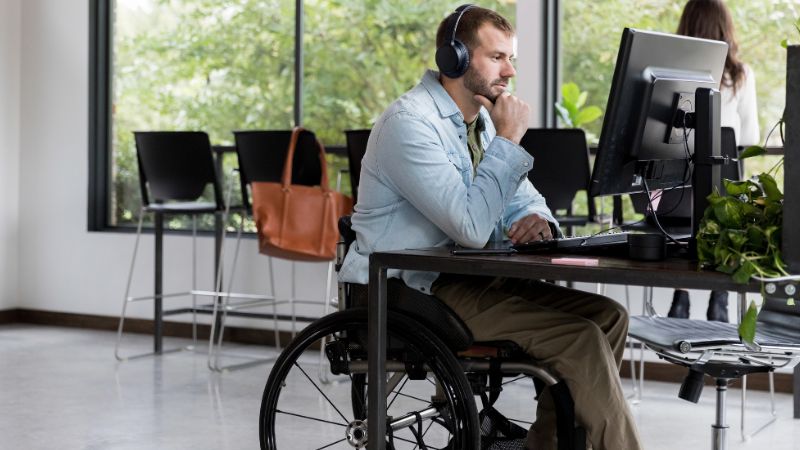
NDIS organisations rely on technology to manage participant information, case notes, appointments, incident records, staff communication and everyday administration. A locked account, unavailable device or inaccessible cloud platform can interrupt these tasks and delay the work of carers, support workers and administrative teams.
IT support for NDIS providers in Geelong and Halls Gap can help organisations manage these systems with greater consistency. Services may include technical assistance for staff, cloud management, cybersecurity solutions, system monitoring, root cause analysis and recommendations based on the organisation’s technology and working practices.
Protecting Participant Information
NDIS organisations may hold participant contact details, support information, case notes, reports and other personal or sensitive records. These records need to remain available to authorised workers without being unnecessarily exposed to other employees or external parties.
The NDIS Practice Standards apply to registered NDIS providers. Their information management requirements include keeping participant information identifiable, accurately recorded, current and confidential. Relevant information should also be accessible to the participant and used appropriately by authorised workers.
IT support for NDIS providers can assist with the technical controls that contribute to responsible information management. This may involve configuring individual user accounts, reviewing access permissions, protecting devices, enabling multi-factor authentication and managing access to cloud folders and applications.
Technology alone cannot make an organisation compliant. Compliance also depends on its policies, consent processes, record-management procedures, staff conduct and other legal or regulatory responsibilities. An IT provider can help manage the technology that supports these requirements without claiming to replace professional compliance or legal advice.
Managing Shared Computers and Mobile Devices
Carers and support workers may use technology differently from office-based employees. Some work from several locations throughout the day, while others rely on shared computers, tablets or mobile phones. Their attention remains on participants, so devices and applications need to be straightforward to access without weakening security.
Using the same account across several workers can make it difficult to control access or identify which person performed an action. Files, browser sessions and saved passwords may also remain available to the next user.
Where the organisation’s systems allow it, workers should have individual accounts with access based on their responsibilities. Shared devices can also be configured with screen-lock settings, managed updates and suitable protection against unauthorised access.
A review of shared-device practices can identify where accounts, permissions or saved information create avoidable risks. Recommendations should reflect how employees use the devices during service delivery instead of introducing unnecessary steps that make essential tasks harder to complete.
Adding and Removing Staff Access
Workforce changes create regular IT administration for many disability-service organisations. Each new worker may need an email account, access to relevant applications, permission to use shared files and a properly configured device. Delays during this process can prevent employees from completing important work during their first days.
Departing staff present a different concern. Their accounts, cloud access and application permissions should be reviewed and removed at the appropriate time. Any organisation-owned devices may also need to be returned, checked and prepared for another employee.
A documented onboarding and offboarding process helps the organisation handle these changes consistently. It can specify which systems each role requires, who approves access and which actions must be completed when someone changes roles or leaves.
Professional IT support can assist with these technical tasks and maintain a clearer record of account changes. This helps reduce the risk of workers receiving unnecessary permissions or former employees retaining access after their departure.
Strengthening Cybersecurity Across the Organisation
Email accounts, cloud applications, laptops and mobile devices can be targeted through phishing, stolen passwords, malicious software and other cyber threats. Security measures should cover the organisation’s full technology environment rather than focusing on one device or application.
The Australian Signals Directorate’s Essential Eight includes patching applications and operating systems, using multi-factor authentication, restricting administrative privileges and maintaining regular backups. The appropriate implementation depends on the organisation’s systems, risk profile and operational requirements.
Practical cybersecurity management for an NDIS organisation may include:
- Keeping operating systems and applications updated
- Applying multi-factor authentication to suitable accounts
- Limiting administrative access
- Monitoring devices and systems for potential problems
- Protecting email and cloud environments
- Reviewing access to participant information
- Checking that scheduled backups are operating as intended
- Removing access when employees leave
- Helping staff identify suspicious messages and login requests
No individual safeguard prevents every cyber incident. A combination of complementary controls can make unauthorised access more difficult and help the organisation respond when suspicious activity is identified.
Managing Cloud Access for Mobile Teams
Cloud services can allow authorised workers to access applications and information from different locations. This can be useful for teams working between an office, participants’ homes and community settings.
Cloud platforms still require careful configuration and ongoing management. User permissions, security settings, data storage, backup arrangements and account access should be reviewed rather than left on default settings.
A specialist provider can examine how an organisation currently uses its cloud environment. This may identify employees with excessive permissions, unused accounts that remain active, inconsistent file storage or gaps in backup coverage.
IT support for NDIS providers can then help the organisation reorganise permissions, strengthen account security and establish a clearer process for granting or removing access. Any changes should be based on the systems the organisation uses and the information each employee genuinely needs.
Preparing for Technology Disruptions
NDIS providers should know what will happen if an important computer, cloud service, internet connection or business application becomes unavailable. This is particularly important for staff who need access to information while working away from a central office.
A continuity review can identify which systems are essential, where important information is stored and which tasks would be affected by an interruption. It can also examine existing backups, recovery arrangements and alternative communication processes.
Backups should not be treated as a complete continuity plan. Organisations need to know:
- Which information is included in the backup
- How frequently backups are completed
- Where backup copies are stored
- Who can access them
- How information would be restored
- Which systems should be recovered first
Understanding these details helps managers make informed decisions about recovery priorities. It also reveals gaps that may remain unnoticed while systems are operating normally.
Finding the Cause of Recurring IT Problems
Repeated technical problems gradually consume staff time. A worker may need assistance with the same login problem every week, a shared computer may regularly lose access to an application, or a network issue may repeatedly interrupt cloud-based work.
Root cause analysis investigates why the problem continues to occur. The underlying cause could involve a device, saved credentials, user permissions, software configuration, network equipment or another part of the IT environment.
Once the cause is identified, the organisation can consider a lasting correction instead of repeatedly addressing the immediate symptom. Monitoring may also identify failed backups, low storage capacity, outdated software or declining device performance before these concerns create wider disruption.
Supporting NDIS Teams in Geelong and Halls Gap
The right support structure depends on the organisation’s locations, workforce, devices and applications. A provider operating from a central office in Geelong may have different requirements from a smaller team working in Halls Gap or across several regional communities.
Remote service desk support can address many account, application and device problems without waiting for a technician to travel. Physical equipment, network cabling and certain connectivity problems may require onsite attention. Organisations should confirm the availability, coverage and scheduling of onsite assistance for their location before entering an agreement.
A useful IT assessment should establish:
- Which devices, applications and cloud services are currently used
- How participant information is stored and accessed
- How new and departing employee accounts are managed
- Which systems are actively monitored
- What backup and recovery arrangements are in place
- How urgent support requests are handled
- Which recurring problems require further investigation
This information allows recommendations to reflect the organisation’s actual operations rather than relying on a standard package that may overlook important requirements.
If your organisation is based in Geelong or Halls Gap, I.T. How To can discuss your current technology environment and the support options available. Its services include service desk assistance, cloud services, cybersecurity solutions, monitoring, root cause analysis and IT consulting. Give I.T. How To a call today to discuss your IT support needs.